
Patriot 8GB Monolithic Flash Drive Recovery — Reverse Engineered Pinout, Recovered Business Files
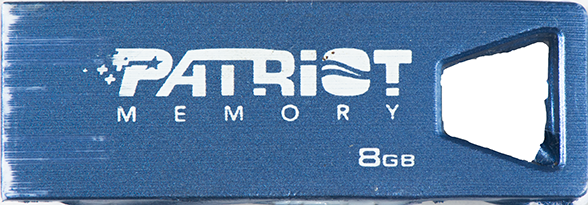
A client brought in a Patriot 8GB monolithic USB flash drive earlier this week with a problem we see often: Windows recognized the drive, assigned it a letter, but every attempt to open it triggered the dreaded “You need to format the disk before you can use it” message. The data on the drive — a working set of business documents the client relied on daily — was completely inaccessible.
Why Monolithic Drives Are Different
A standard USB flash drive has discrete components — a controller chip, a NAND flash memory chip, supporting passives — all soldered to a small PCB. When that kind of drive fails electrically, we can usually do a chip-off recovery: desolder the NAND chip, read it on a programmer, and reconstruct the data.
Monolithic drives are different. The controller, NAND, and supporting circuitry are all fabricated as a single integrated package. There is no separate NAND chip to remove. The only way in is to find the test pads on the package itself — tiny exposed contacts the manufacturer used during factory testing — and read the NAND directly through them.
The catch: those test pads are unlabeled, and the pinout is proprietary to each model. There is no datasheet. There is no public reference. If nobody else has documented the specific drive on your bench, you start from zero.
The Drive: Patriot FAB8GBHSMI2IC1K
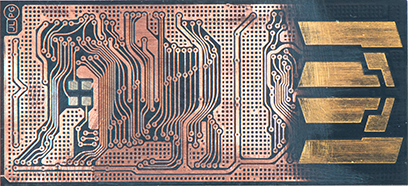
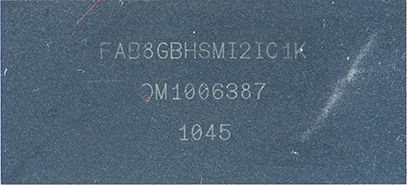
This particular model — Patriot’s FAB8GBHSMI2IC1K — had no published pinout anywhere we could find. No forum threads, no professional database entries, no leaked manufacturer documentation. We were going to have to develop the pinout ourselves.
The package had the usual grid of test pads on the underside. Some were obvious — power and ground are easy to identify with a multimeter. The rest needed real signal analysis to classify.
Reverse Engineering the Pinout
Our process for an unknown monolithic comes down to careful soldering and patient signal capture:
1. Identify power and ground. A multimeter and continuity testing against known-good points get us VCC and GND quickly. These are the foundation — get them wrong and you risk damaging the package.
2. Solder fine wires to every remaining test pad. We use very thin enameled wire under a microscope. Each pad gets its own lead routed out to a breakout we can connect to instrumentation. On a package this small, this is the most time-consuming part of the job — every joint has to be clean, mechanically secure, and electrically isolated from its neighbors.
3. Power the drive and capture every signal with a logic analyzer. When the drive boots and the controller starts talking to the embedded NAND, the logic analyzer records every transition on every line. The patterns tell the story.
4. Classify the signals. NAND flash uses a well-defined command interface — chip enable, command latch enable, address latch enable, read enable, write enable, ready/busy, and an 8-bit I/O bus. Once you know what to look for, the captured waveforms give it away. The line that pulses at the start of every transaction is CE#. The line that goes high during command bytes is CLE. The bus carrying byte-aligned data during reads is I/O[7:0]. We map each test pad to its NAND function.
For this Patriot, the full mapping took a few hours of work — soldering, capturing, analyzing, verifying. By the end we had a complete, documented pinout for the FAB8GBHSMI2IC1K.
Reading the NAND and Reassembling the Data
With the pinout established, the rest of the recovery followed our standard monolithic workflow. We connected the drive to our NAND reader using the pinout we’d just developed and pulled a complete image of the raw flash contents.
A raw NAND dump is not a usable filesystem. The controller inside the drive normally handles wear leveling, ECC correction, bad block management, and logical-to-physical address translation on the fly. When you read the NAND directly, you get the physical layout as the controller wrote it — pages scattered across the chip according to the controller’s internal mapping table, with ECC parity bytes interleaved and logical block addresses stored in spare areas.
To turn that back into the original filesystem we had to:
- Apply the correct ECC algorithm to correct any bit errors in the raw pages
- Strip the spare/OOB regions and extract the logical block addresses
- Reorder the pages from physical layout into logical order
- Reassemble the result into a clean disk image
- Mount the image and verify the filesystem
Every business document on the drive came back cleanly. The client had their files back the same week they dropped the drive off.
Why This Matters
If you’ve been quoted “unrecoverable” on a monolithic flash drive — Patriot, SanDisk, Lexar, PNY, Kingston, or any other brand — it’s worth getting a second opinion. A lot of recovery shops won’t take monolithic cases, and the ones that will often won’t take on a drive without a published pinout. We do this work in-house every week, and we develop new pinouts whenever we have to.
This is also a good reminder of why “the drive shows up as RAW, just format it” is dangerous advice. The data is almost always still there, sitting in the NAND exactly as it was written. Reformatting tells the controller to rebuild its mapping tables from scratch — and once that happens, the road back gets considerably harder.
If you have a flash drive that won’t open, stop using it and bring it to us. We’ll tell you exactly what we can do before you spend a dime.
